Faster parts identification
Model-aware search narrows the lookup to relevant components.
 Cambrian
INTERNAL OPERATIONS SOFTWARE
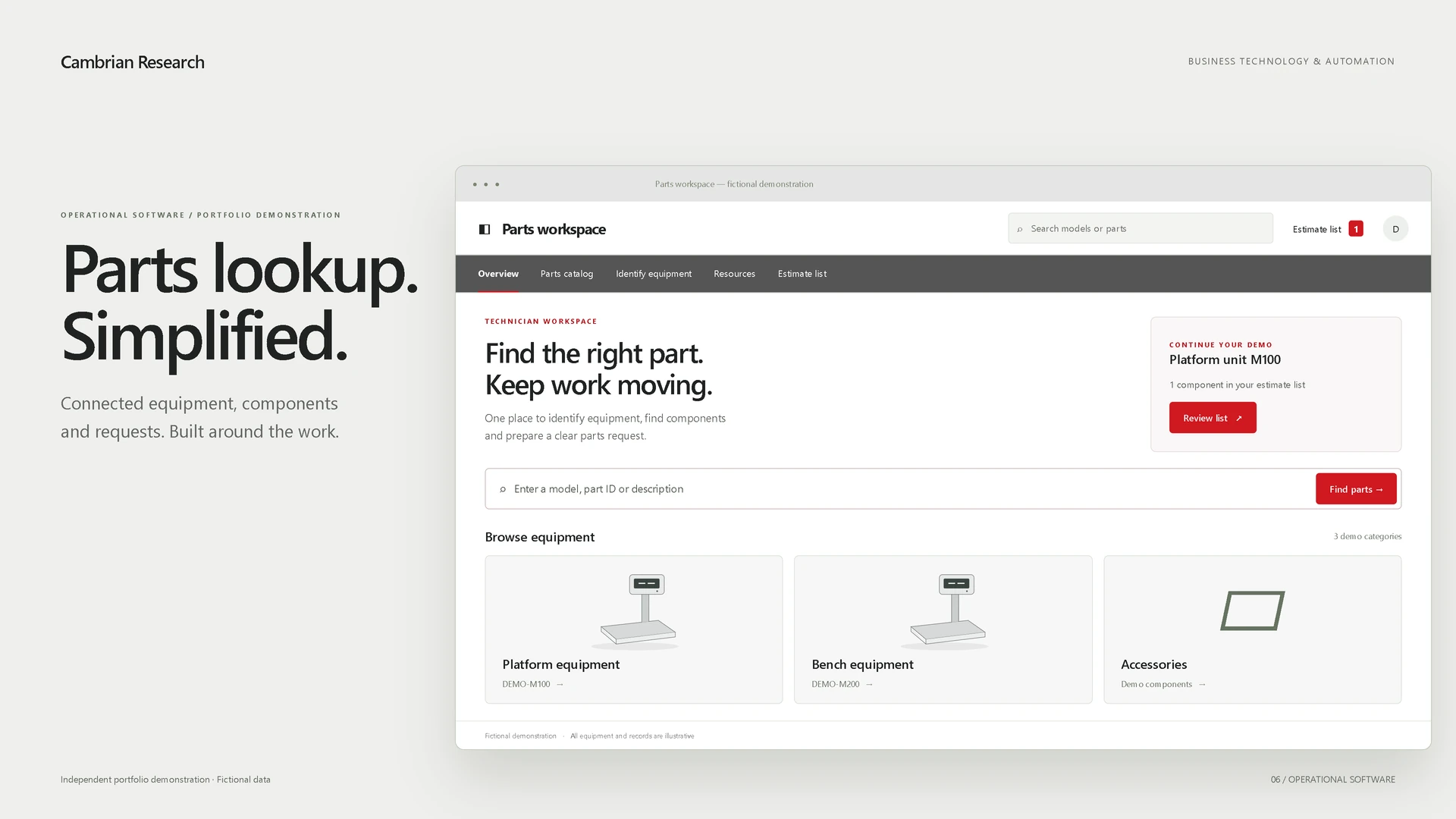
Internal workflow software designed to simplify equipment identification, parts lookup, and request handoff.
Developed by Benjamin Scott through firsthand technical-service experience. The project is real; the public-facing visuals use fictionalized data and generic branding.
 View full image
 THE PROBLEM
Technical-service teams can lose time when equipment identification, component lookup, documentation, and request preparation happen across disconnected sources. Finding a part is useful; having to copy the same details into the next step creates more work.
The challenge is to keep the equipment and component context intact from the first lookup to a clear operational handoff.
THE APPROACH
Organize the software around the technician’s task, with the information needed for the next decision close at hand.
Start with the model so each subsequent choice has an equipment reference.
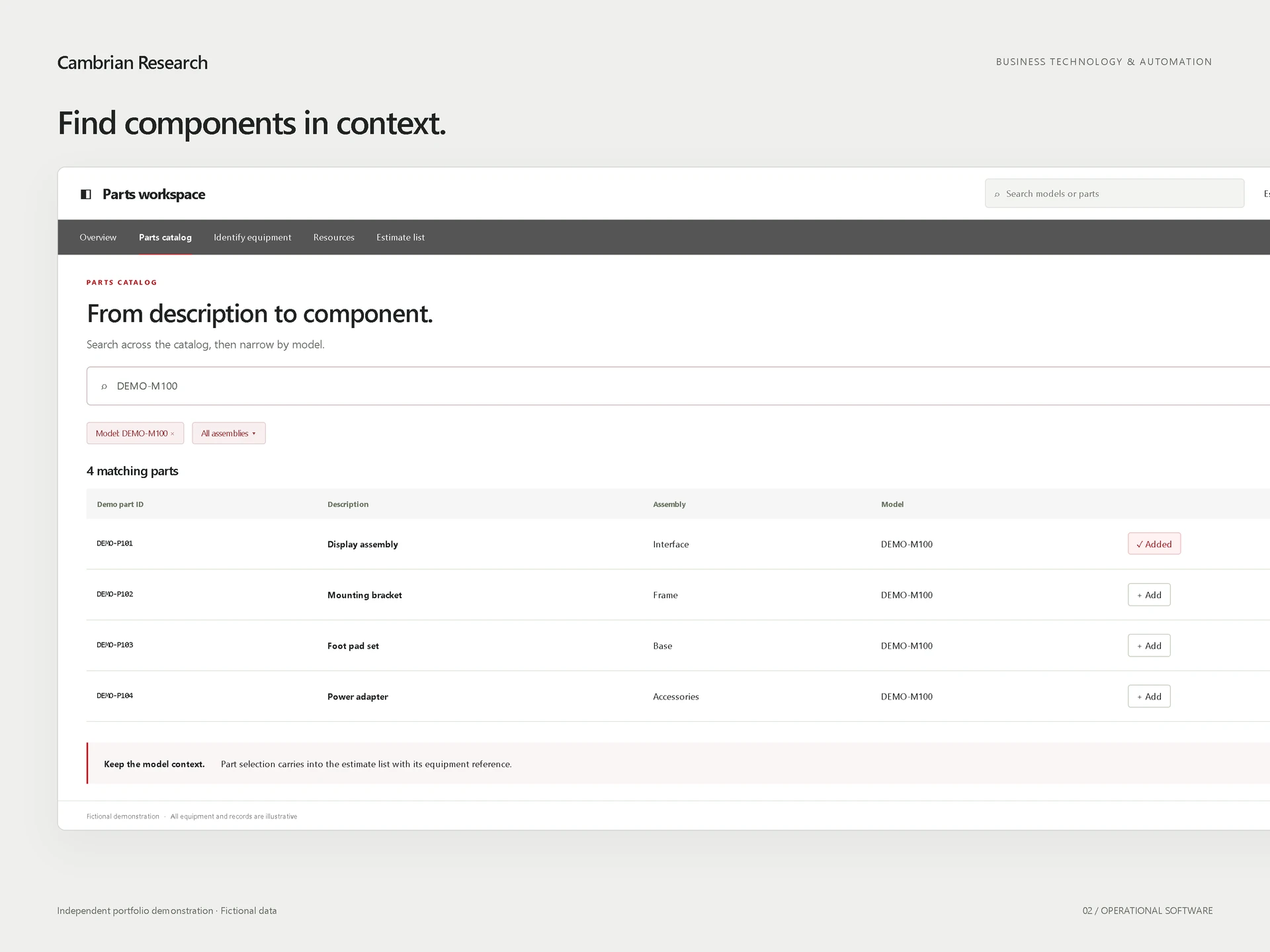
Search by model or description and narrow the results to relevant parts.
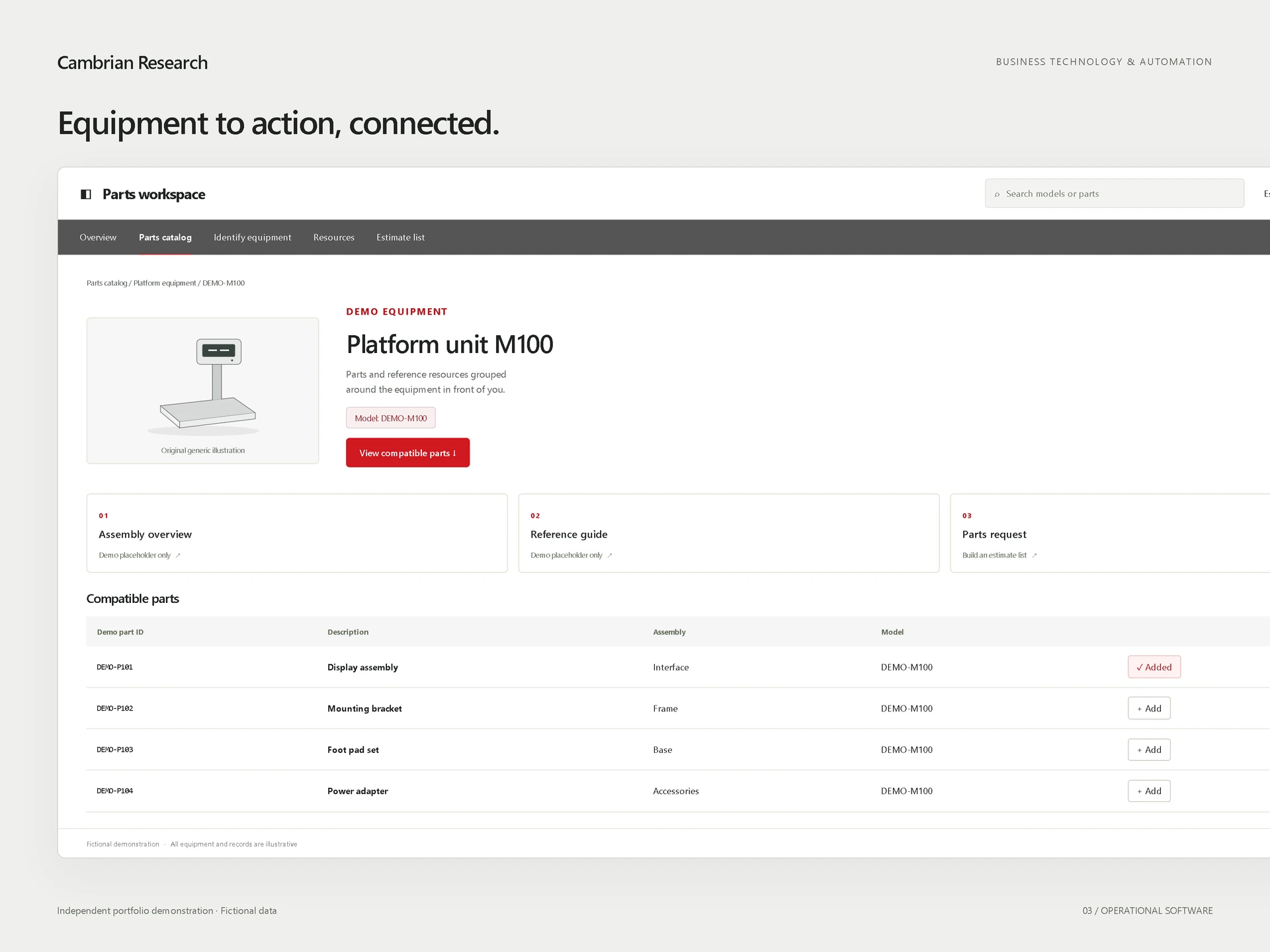
Keep compatible components and reference entry points alongside the equipment.
Carry the selected model, part, and quantity into an organized estimate list.
DESIGNED TO IMPROVE
Workflow benefits the platform is designed to support, without assuming measured time savings.
Model-aware search narrows the lookup to relevant components.
Carry equipment and part details forward instead of rebuilding them.
Bring model, component, and quantity together in a consistent list.
Keep parts and reference entry points alongside the model.
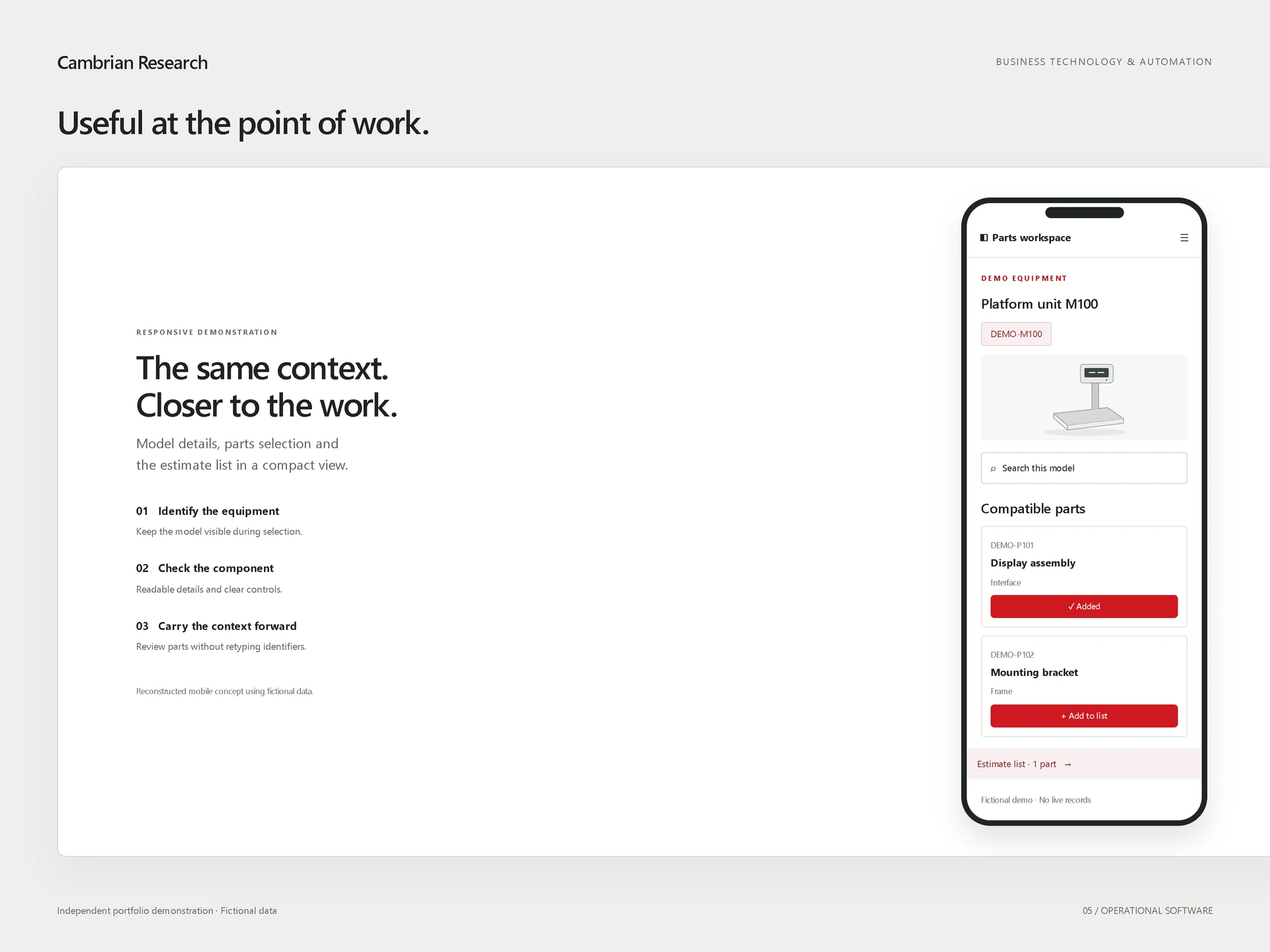
Adapt the same information to a compact view at the point of work.
Connect lookup and request preparation in one workspace.
Search by model and move from equipment description to relevant components without losing context.
 View full image
 Keep equipment, compatible parts, references, and next-step actions together in one workspace.
 View full image
 Responsive access keeps the same context available closer to where technical work actually happens. This visual reconstructs the compact workflow with demo data.
 View full image
 DESIGN & ENGINEERING
This project demonstrates the approach Benjamin brings to Cambrian Research: understand the real operational workflow first, then build software around the way the work actually happens. Keep related information together, remove avoidable re-entry, and make the next action clear.
The value comes from a useful sequence of decisions and handoffs—not from adding more screens.
Independent portfolio demonstration using fictionalized data. No client relationship or endorsement is implied.
Bring the workflow with too much lookup, copying, or back-and-forth. We can define a practical next step.